How to Perform Load Testing against NebulaGraph with K6
Harris
Technical Deep Dives
Why Load Testing Matters in NebulaGraph?
The load testing for the database needs to be conducted usually so that the impact on the system can be monitored in different scenarios, such as query language rule optimization, storage engine parameter adjustment, etc.
The operating system in this article is the x86 CentOS 7.8.
The hosts where NebulaGraph is deployed are configured with 4C 16G memory, SSD disk, and 10G network.
Tools Needed for the Load Testing
nebula-ansible deploys NebulaGraph services.
nebula-importer imports data into NebulaGraph clusters.
k6-plugin is a K6 extension that is used to perform load testing against the NebulaGraph cluster. The extension integrates with the nebula-go client to send requests during the testing.
nebula-bench generates the LDBC dataset and then imports it into NebulaGraph.
ldbc_snb_datagen_hadoop is a LDBC data generator.
Load Testing Process Overview
The load testing conducted in this article uses the LDBC dataset generated by ldbc_snb_datagen. The testing process is as follows.
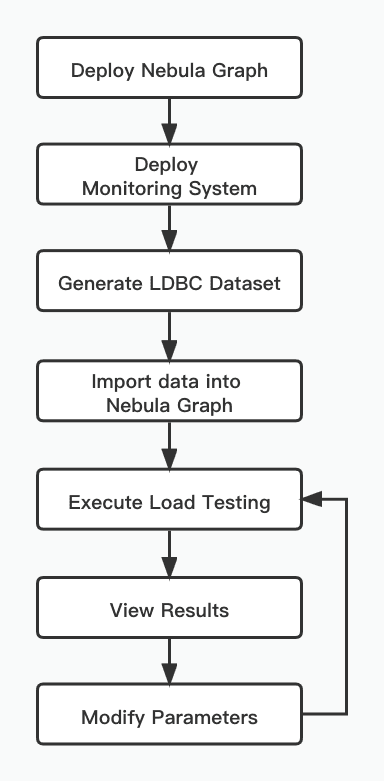
To deploy the topology, use one host as the load testing runner, and use three hosts to form a NebulaGraph cluster.
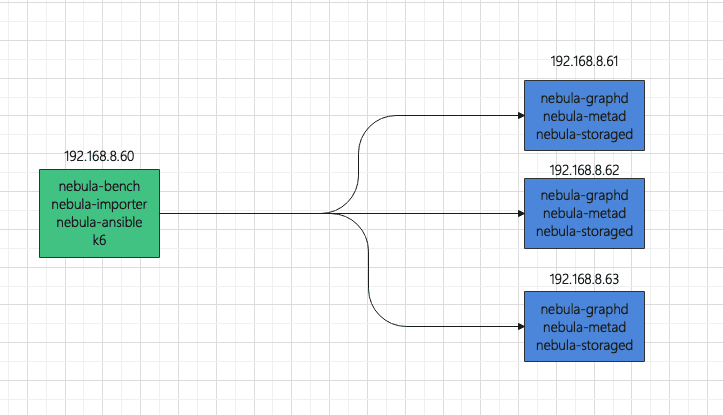
To make monitoring easier, the load testing runner also deploys:
Prometheus
Influxdb
Grafana
node-exporter
The hosts where NebulaGraph is installed also deploy:
node-exporter
process-exporter
Load Testing Steps
Use nebula-ansible to deploy NebulaGraph
Set up SSH login without passwords a. Log in 192.168.8.60, 192.168.8.61, 192.168.8.62, and 192.168.8.63 respectively. Create a vesoft user and join in sudoer with NOPASSWD. b. Log in 192.168.8.60 to set up SSH.
Download nebula-ansible, install Ansible, and modify the Ansible configuration.
The following is an example of inventory.ini.
Install and deploy NebulaGraph.
Monitor hosts
Using docker-compose to deploy monitoring system is convenient. Docker and Docker-Compose need to be installed on the hosts first.
Log in 192.168.8.60
Configure the Grafana data source and dashboard. For details, see https://github.com/vesoft-inc/nebula-bench/tree/master/third.
Generate the LDBC dataset
Import data
The following is the example of .env
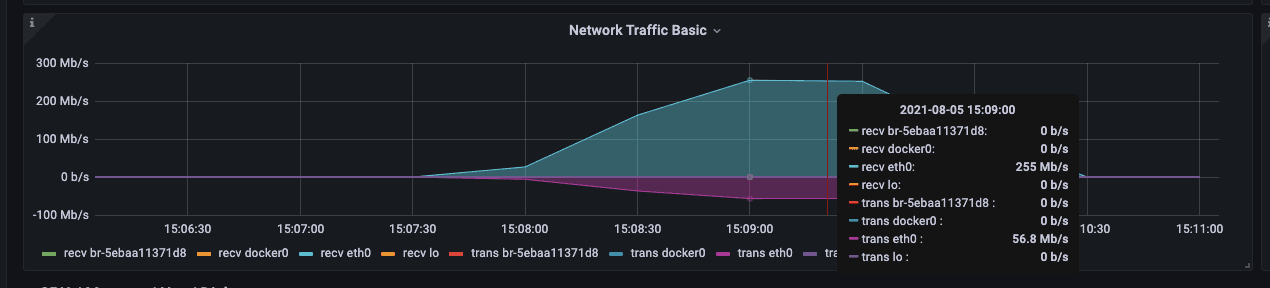
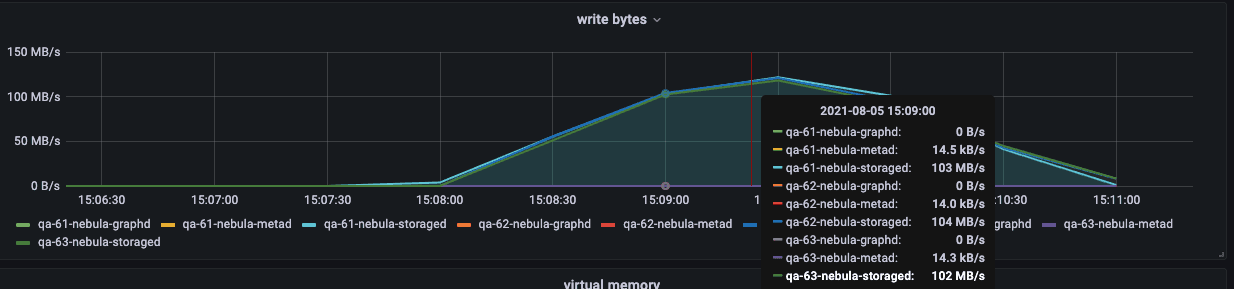
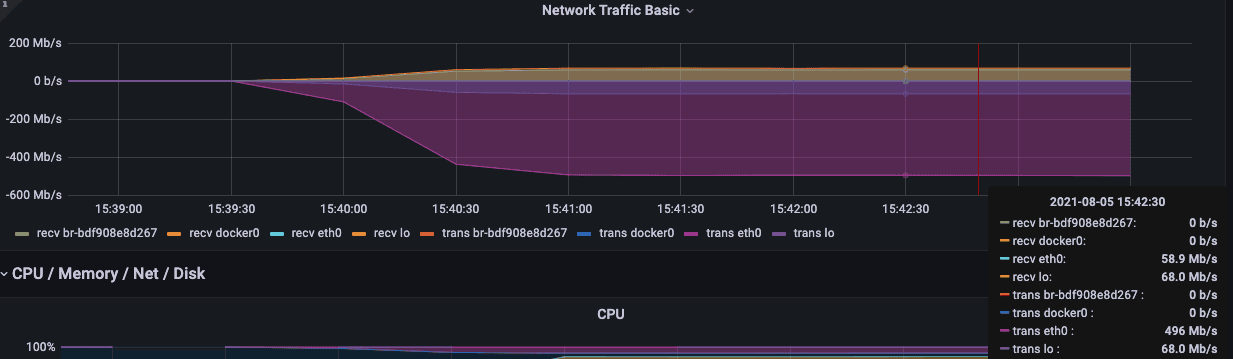
During the import process, you can focus on the following network bandwidth and disk IO writing.
Execute the load testing
According to the code source in the file scenarios, the js file will be automatically rendered and K6 will be used to test all scenarios.
After the execution is over, the js file and the result will be saved in the output folder.
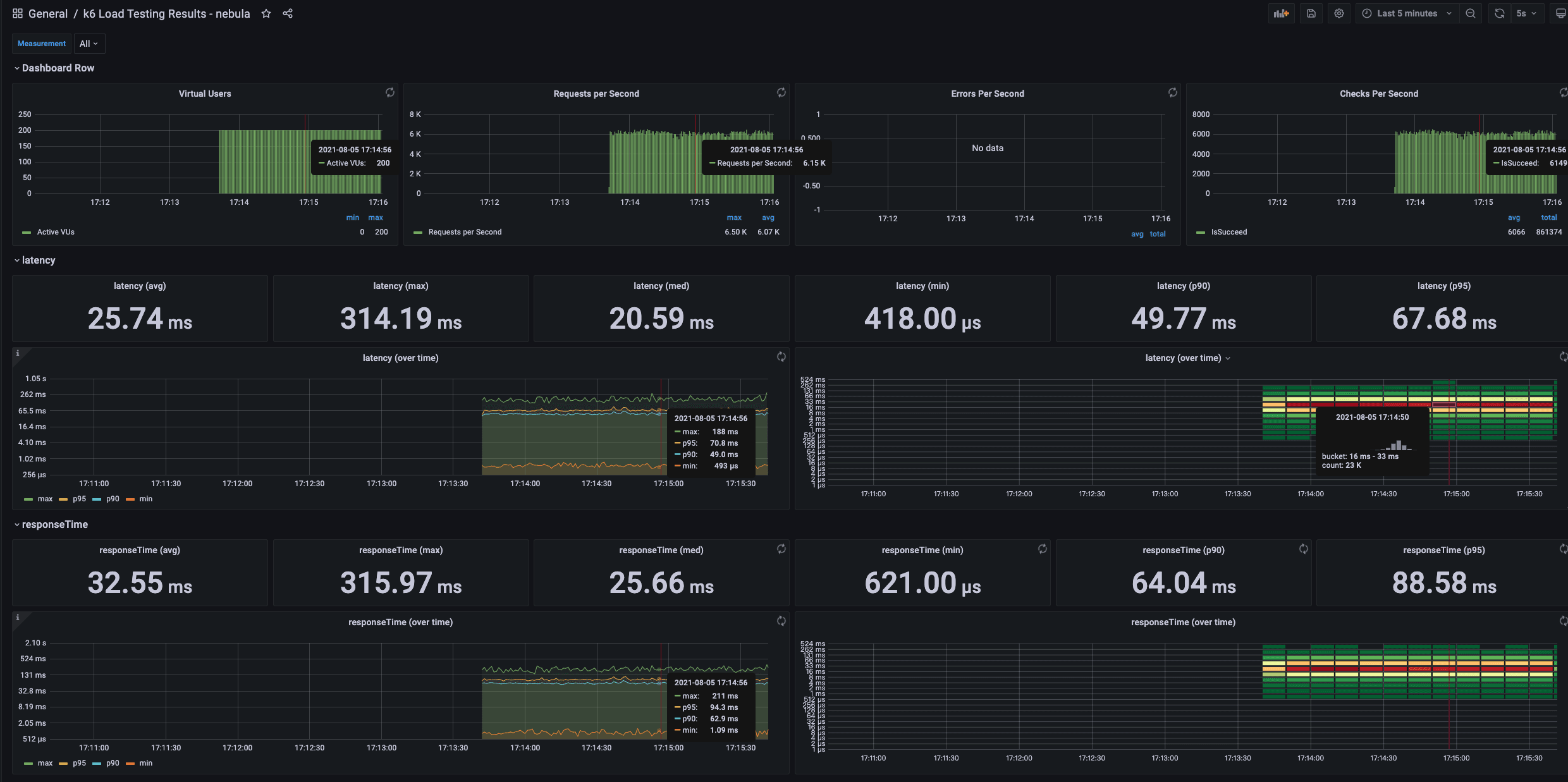
Among them, latency is the latency time returned by the server, and responseTime is the time from initiating execute to responseby the client. The measurement unit is μs.
It is also possible to execute the load testing in one scenario and continuously adjust the configuration parameters for comparison.
Concurrent reading
Every metric can be monitored at the same time.
checks is to verify whether the request is executed successfully. If the execution fails, the failed message will be saved in the CSV file.
K6 metrics to be monitored with Grafana
Concurrent writing
The js file can be modified manually to adjust batchSize
If the batchSize is 300 with 400 virtual users, an error will be returned.
If E_CONSENSUS_ERROR occurs, it should be that the appendlog buffer of raft is overflown when the concurrency is large, which can be solved by adjusting relevant parameters.
Summary
The load testing uses the LDBC dataset standard to ensure data uniform. Even when bigger data volume, say one billion vertices, is generated, the graph schema is the same.
K6 is more convenient than Jmeter for the load testing. For more details, please refer https://k6.io/docs/.
You can easily find the bottleneck of the system resources by simulating various scenarios or adjust parameters in NebulaGraph with the mentioned tools.
If you encounter any problems in the process of using NebulaGraph, please refer to NebulaGraph Database Manual to troubleshoot the problem. It records in detail the knowledge points and specific usage of the graph database and the graph database NebulaGraph.
Join our Slack channel if you want to discuss with the rest of the NebulaGraph community!